.png)
With EasyReferrals, GPs and patients from across Australia will no longer be required to ring around specialist practices searching for the next available appointment. In many cases, especially when concerning elective surgery, this availability may be many months away.
The old process often resulted in delays to healthcare or hours of effort to find suitable availability. EasyReferrals changes all of that.
Search for a Specialist
Searching and booking online with EasyReferrals is fast and easy, and allows GPs to discuss scheduling availability and suitability with their patients.
EasyReferrals is powered by the clever, user friendly MyHealth1st booking platform. MyHealth1st booking has been built and refined for years, innovating upon and enhancing every minute detail
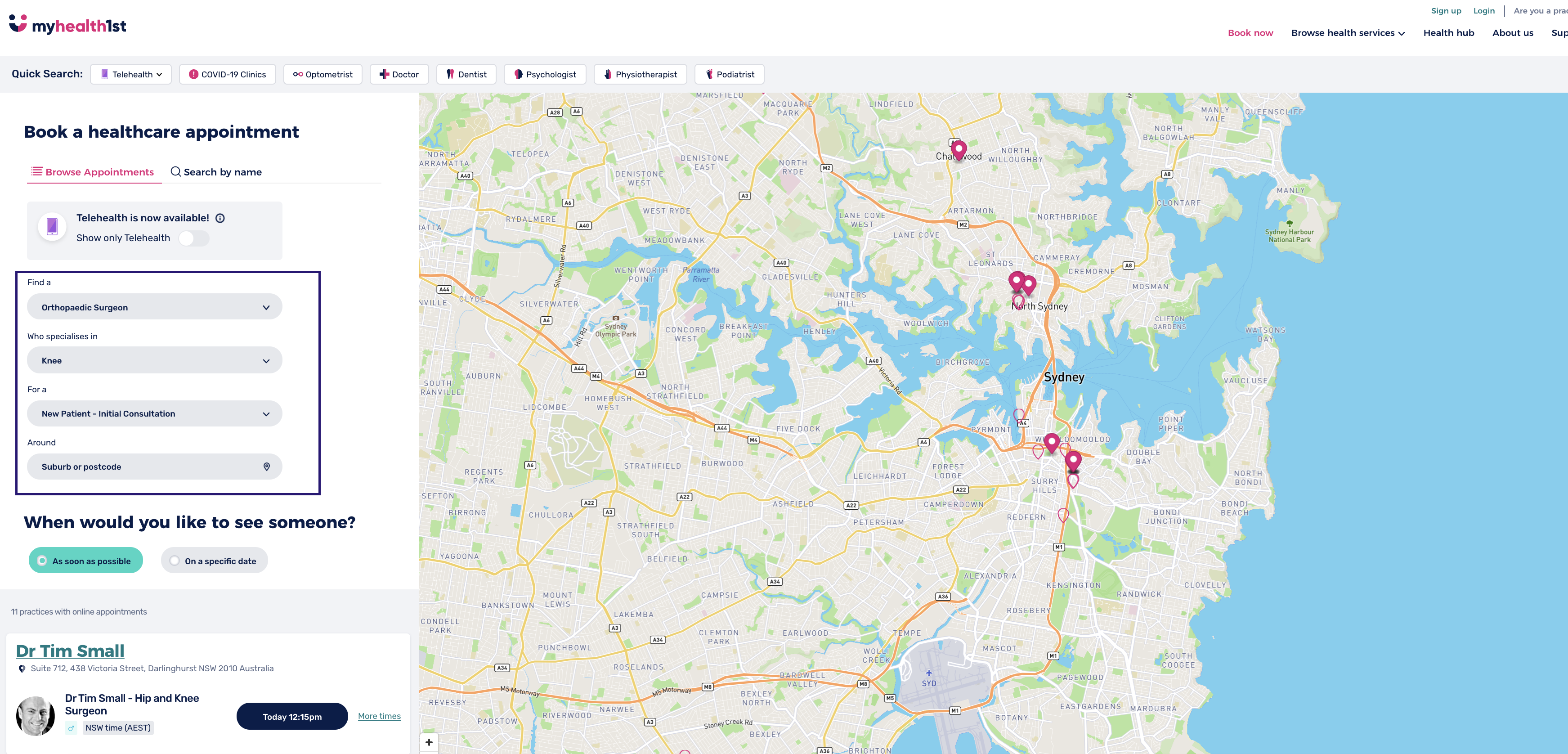
When using EasyReferrals, a doctor first selects the type of specialist they need to refer their patient to (such as an orthopedic surgeon ), before then selecting a specialty relevant to the patient’s needs (in this case , knee surgery ).
As the patient will be visiting the specialist for the first time, the person making the booking selects “New Patient, Initial Consultation” as the appointment type, and allow the platform to search available appointments. You could also select the patient’s suburb to further refine the search.
The doctor may select the first available appointment if the referral is urgent, or alternatively, the GP can work with the patient to find a suitable time for them. Until EasyReferrals, this was not possible.
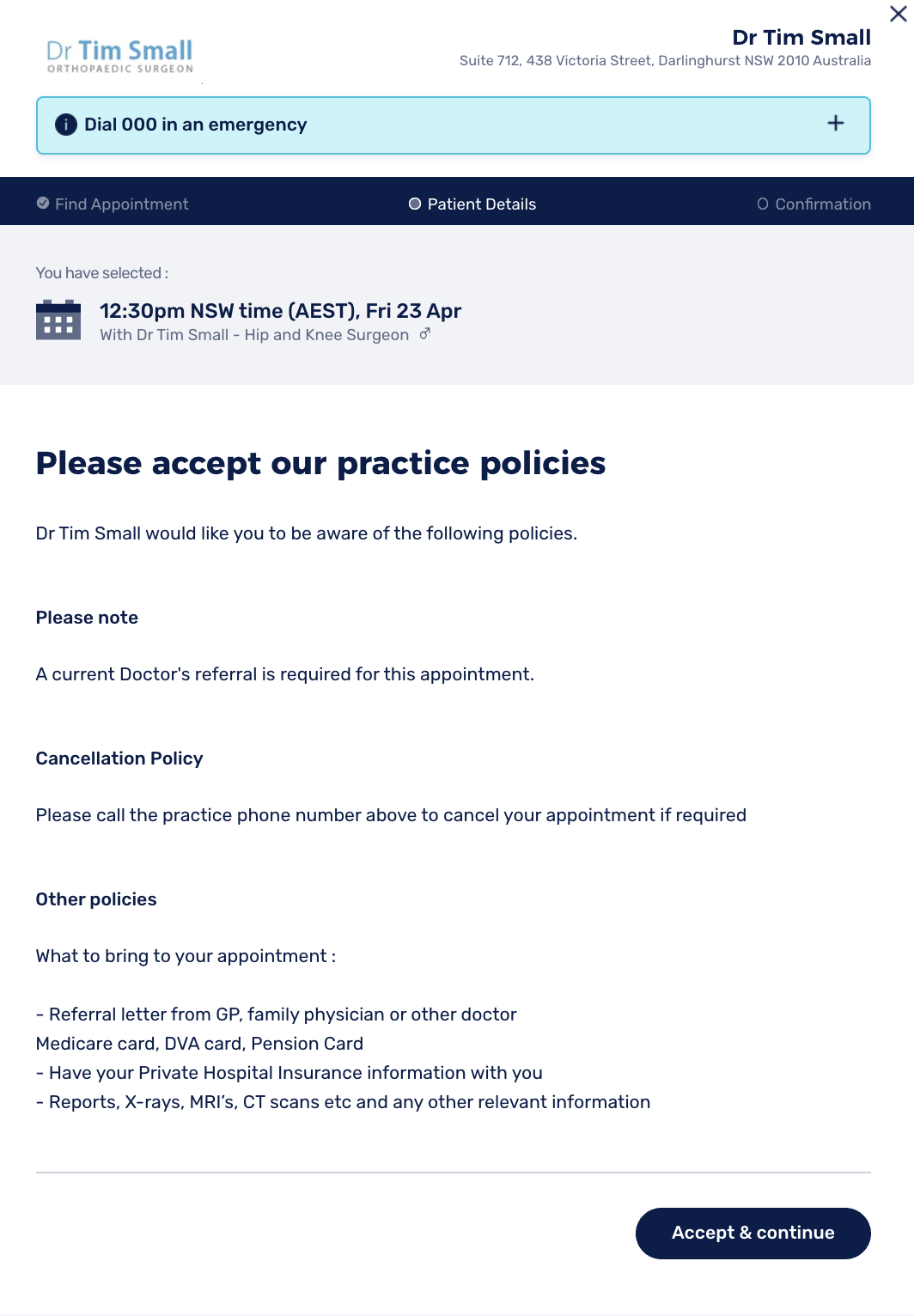
Once a time has been selected, the patient and/or GP are asked to review and agree to the specialist practices’ policies, before asking if the booking is being made by a doctor on behalf of the patient or by the patient themselves, before continuing.
Doctor Form
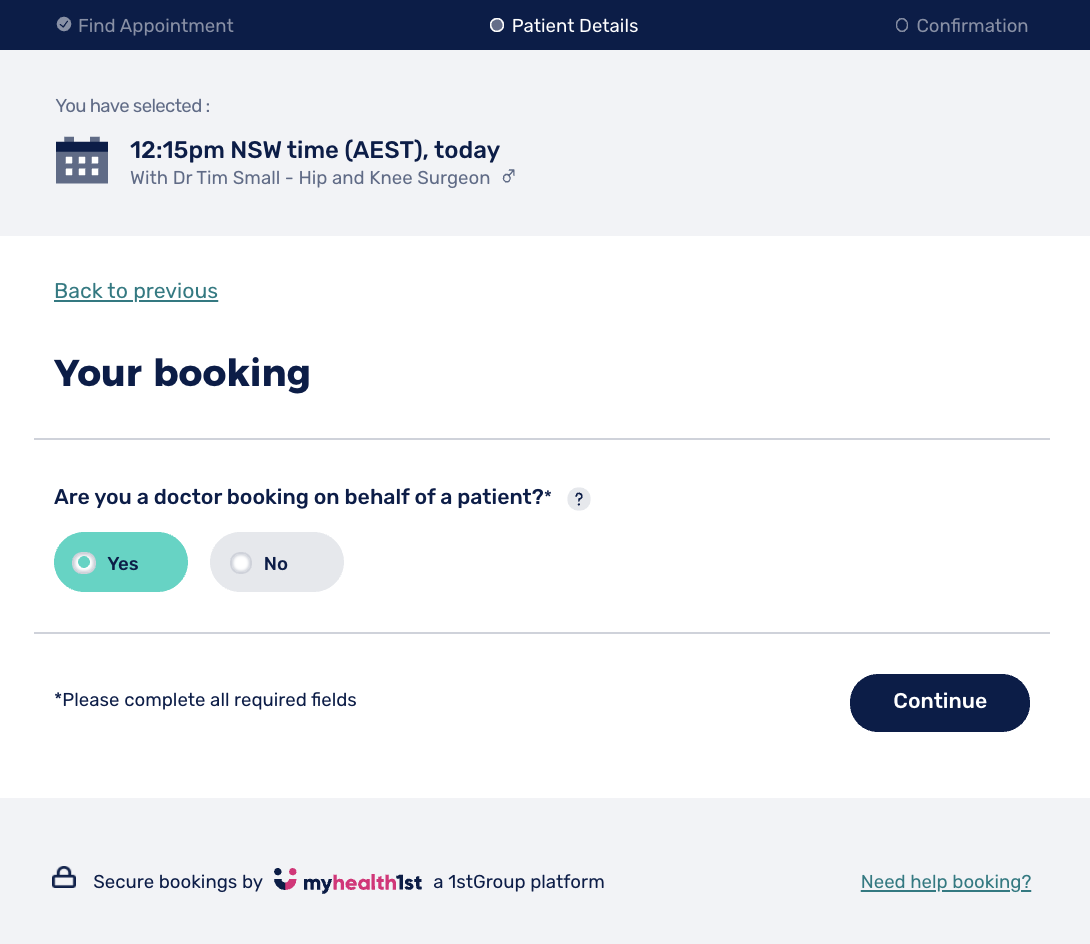
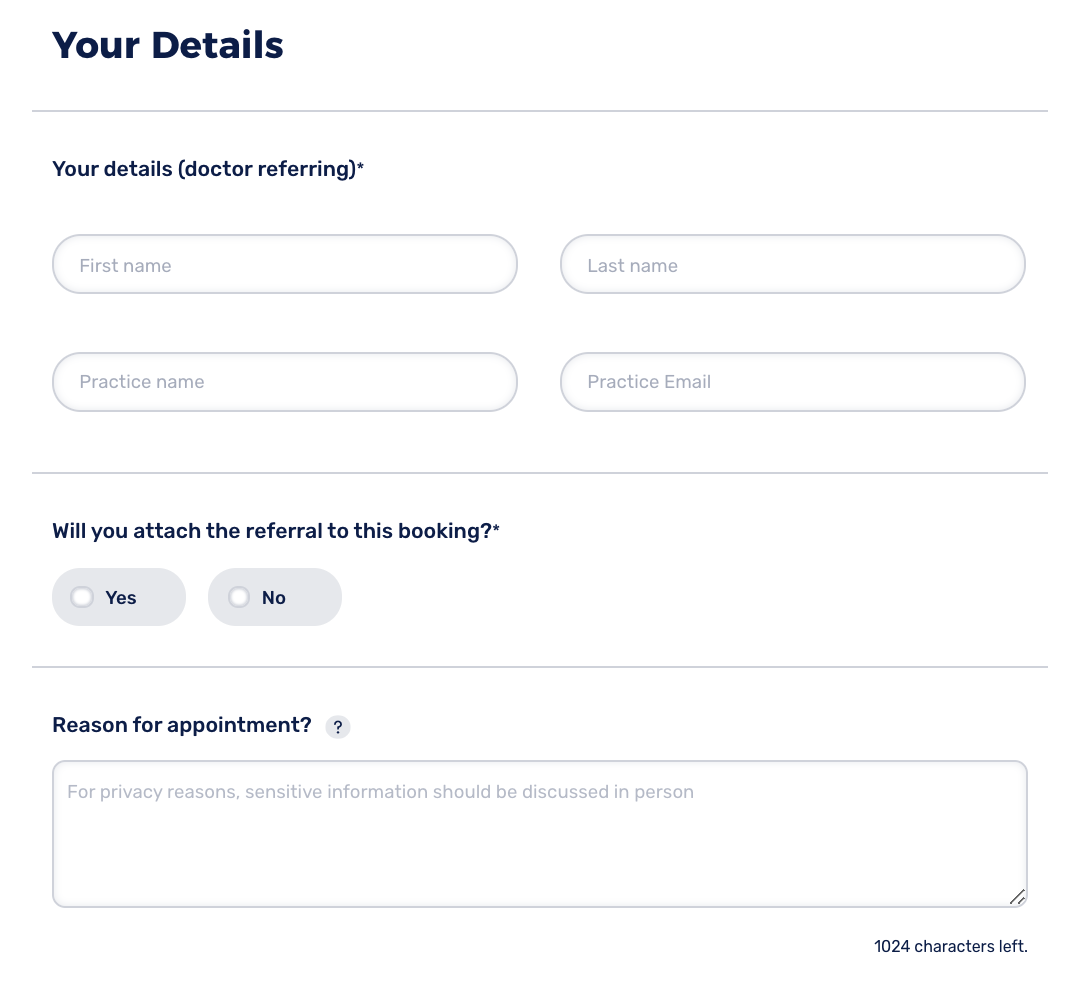
In this first form a referring doctor enters their details, prior to being asked if they will be uploading the referral documentation along with the appointment.
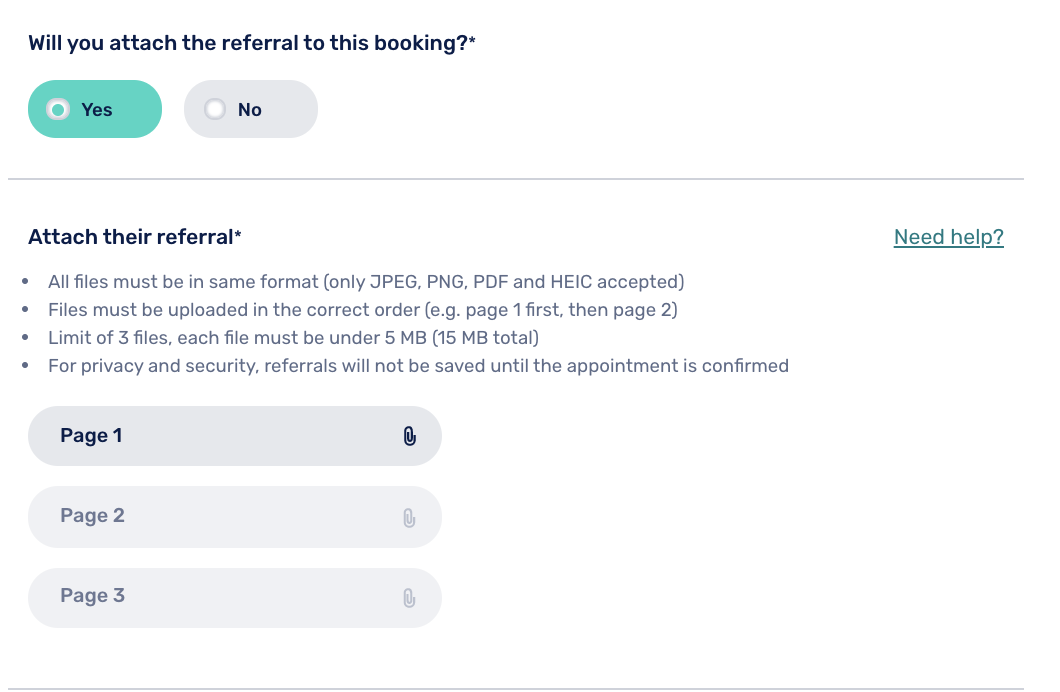
Referral documentation, as well as other material such as tests or scans may be added to this screen.
Patient Form
Next, details of the patient are entered into the Patient form.
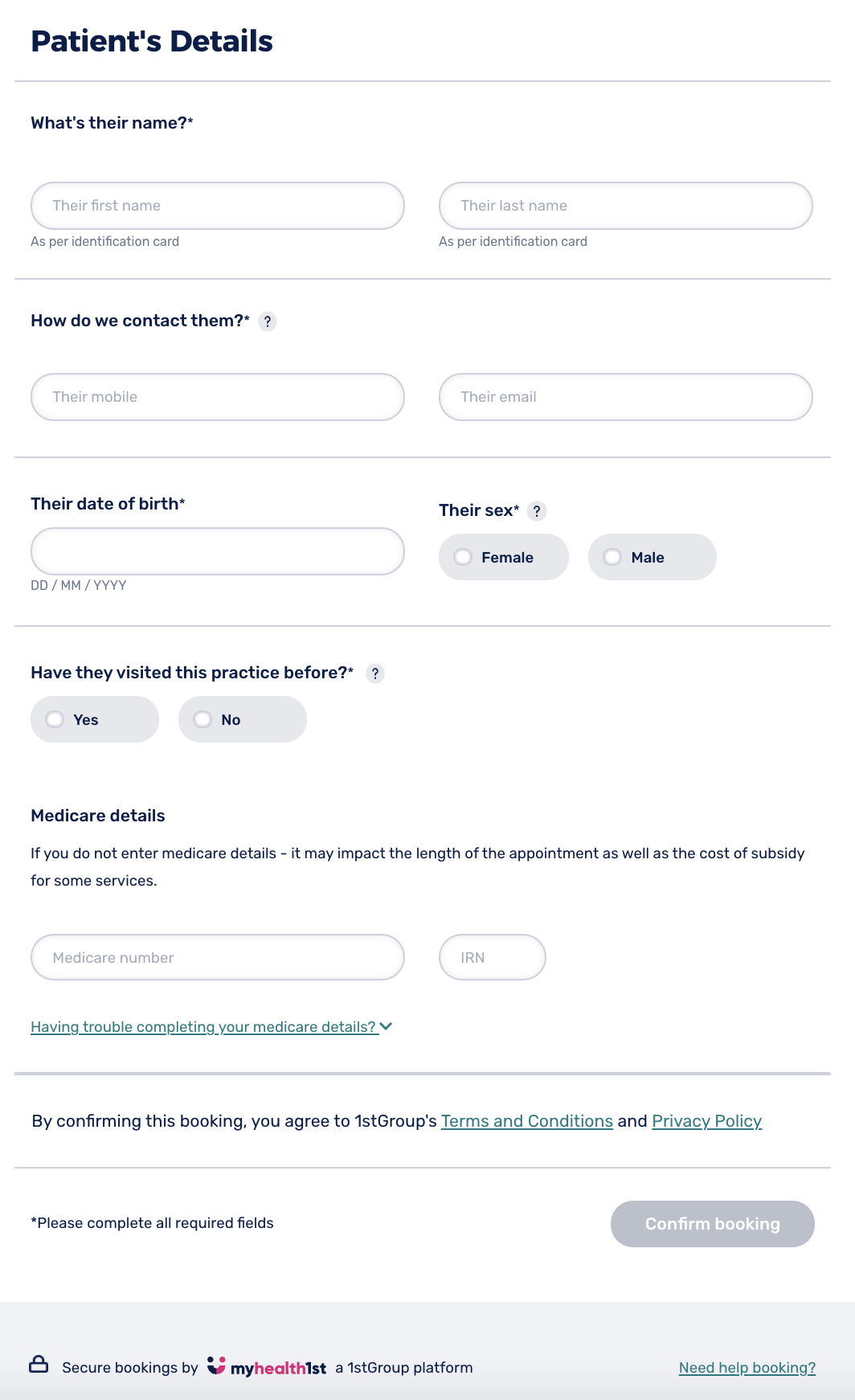
In a few seconds, the appointment is confirmed in real time into the specialist’s practice management software, and the party booking is presented with a confirmation screen, confirming all the details of the appointment.
Up until now, a doctor would never have known if a patient went ahead and booked their appointment. This new system notifies the referring doctor that the referral appointment has been booked, whether by the patient or by the doctor themselves. This really is quite incredible and of great value to doctors.
Email Confirmation
GP Email
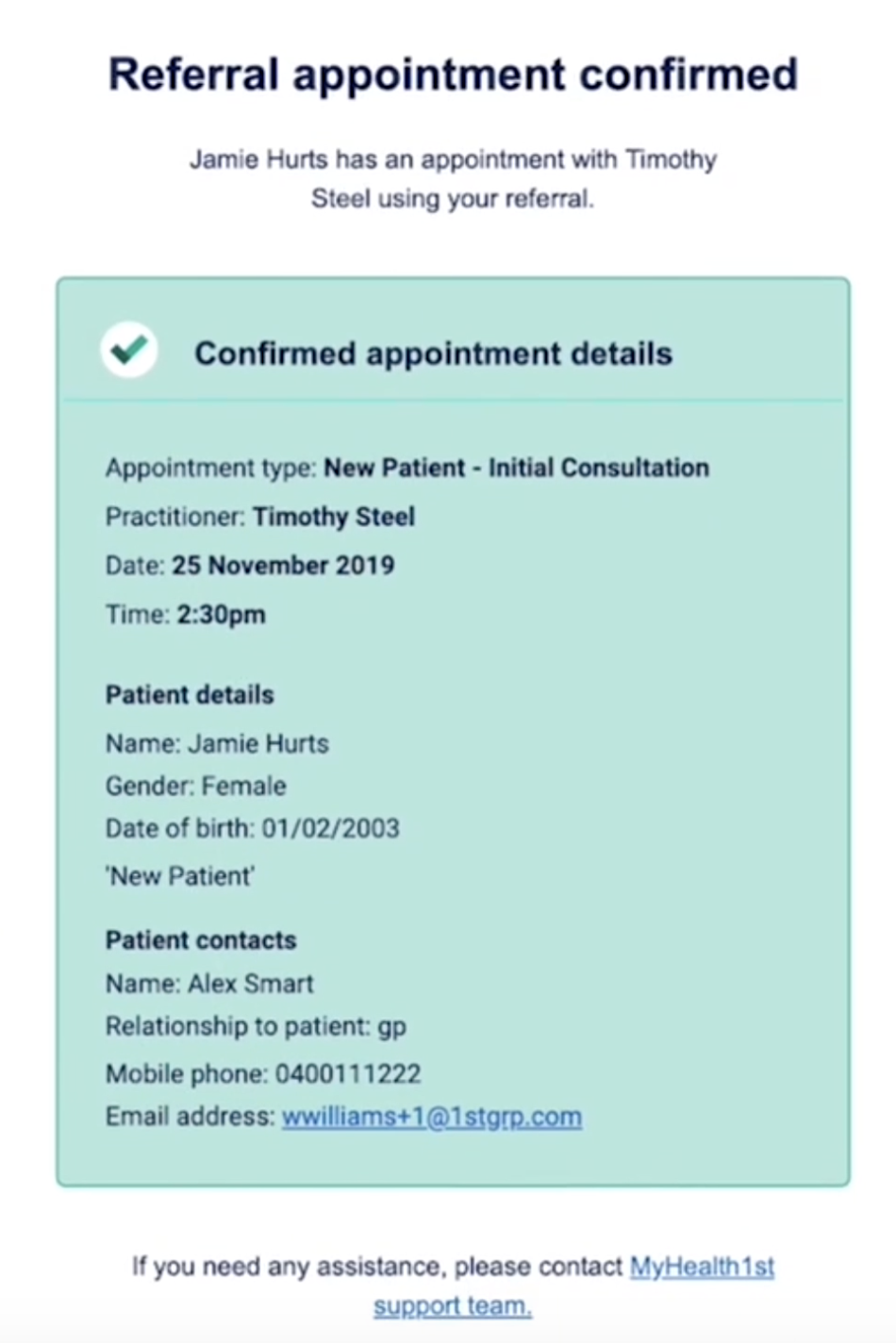
To ensure everyone has the appointment details, the referring doctor receives a booking confirmation straight to their email, once again confirming all the details of the patient’s appointment.
Patient Email
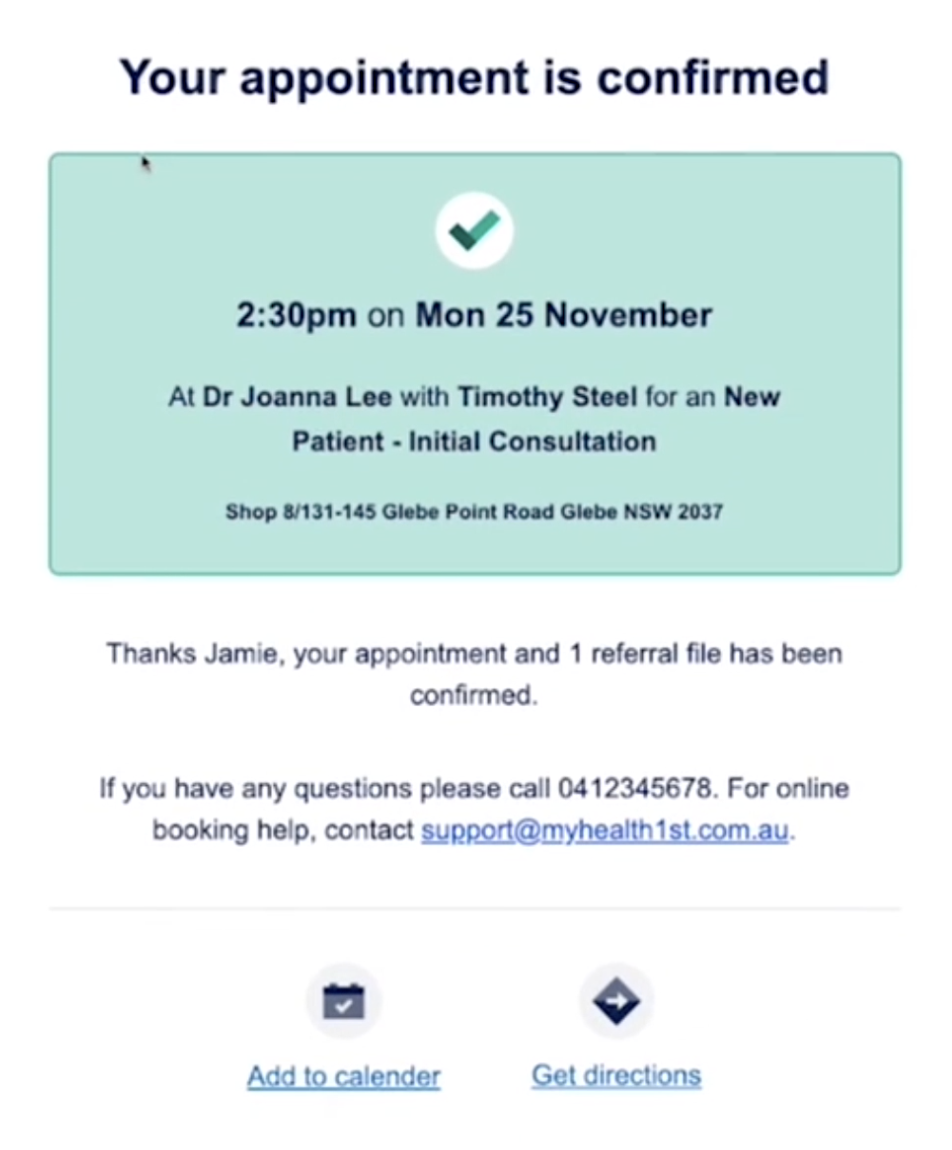
Likewise, the patient also receives a confirmation to their email, which also invites them to add the appointment to their digital calendar.
Specialist Email
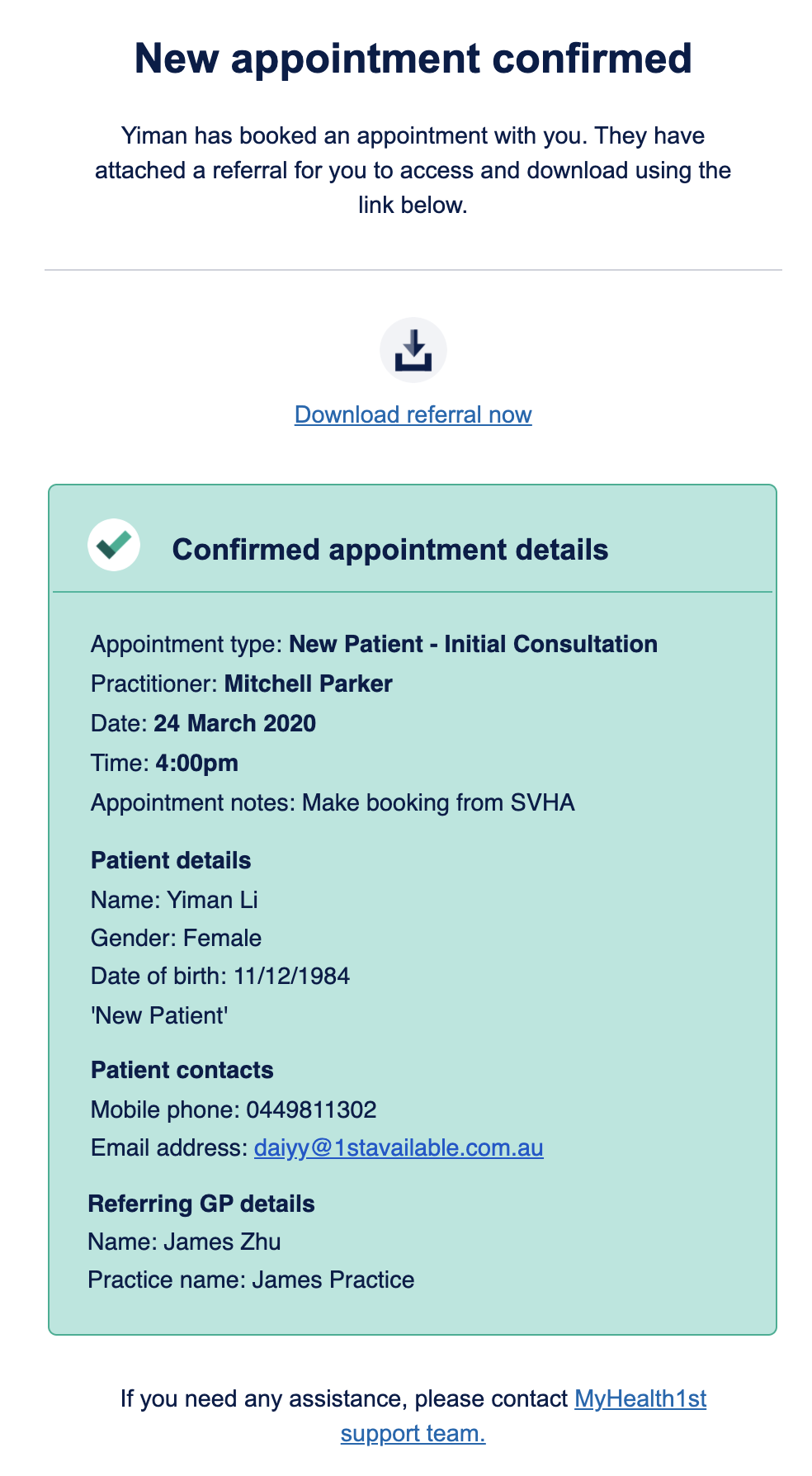
Finally, the specialist will also receive an email at the same time, confirming the appointment which has just been added to their practice management system calendar schedule for the specialist, whilst inviting them to also securely download any patient referral documentation that has been uploaded ahead of the appointment.
We’re proud to be working with hundreds of specialists from across Australia to roll out EasyReferrals, helping make it easy for patients to receive the care they need in a timely fashion, and also to close the referral loop for GPs in a manner that has never existed before. Register your interest on EasyReferrals.
Specialist TeleHealth Appointments
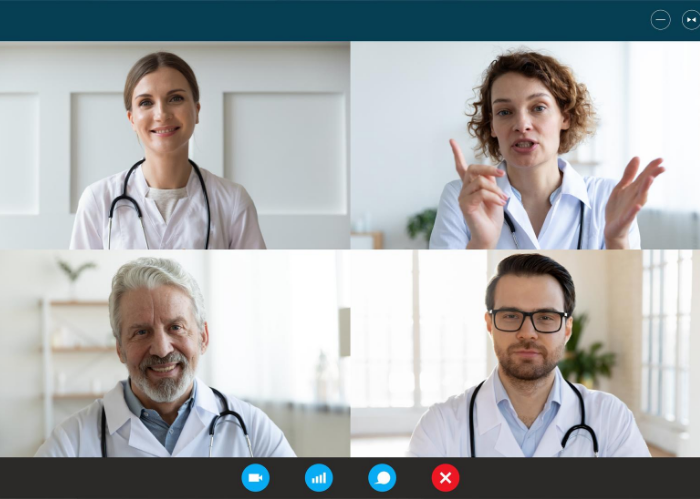
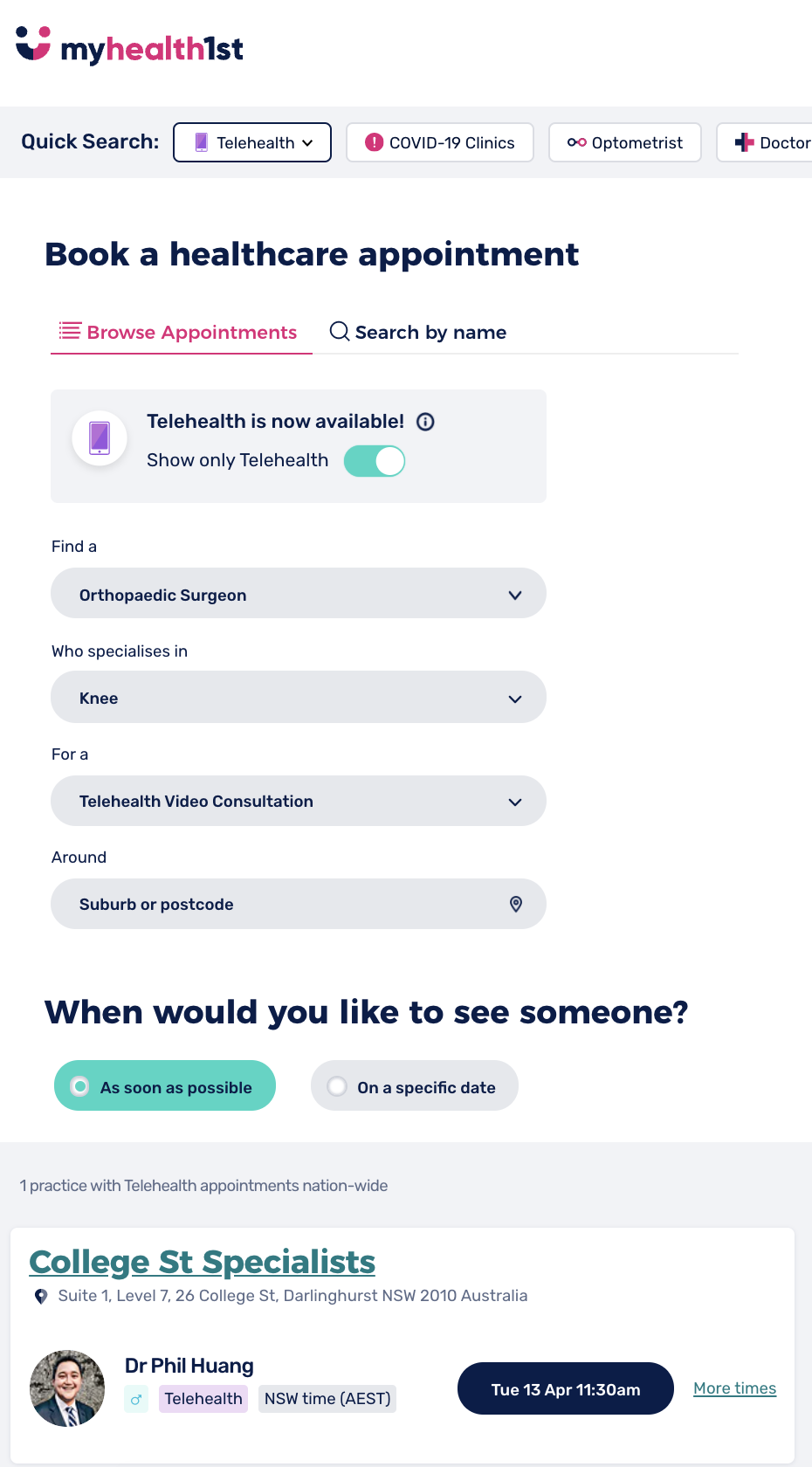
MyHealth1st EasyReferrals also gives GPs the ability to book telehealth appointments with specialists.
Clicking the “Show Only Telehealth appointments” toggle limits the appointments show to those specialists offering telehealth.
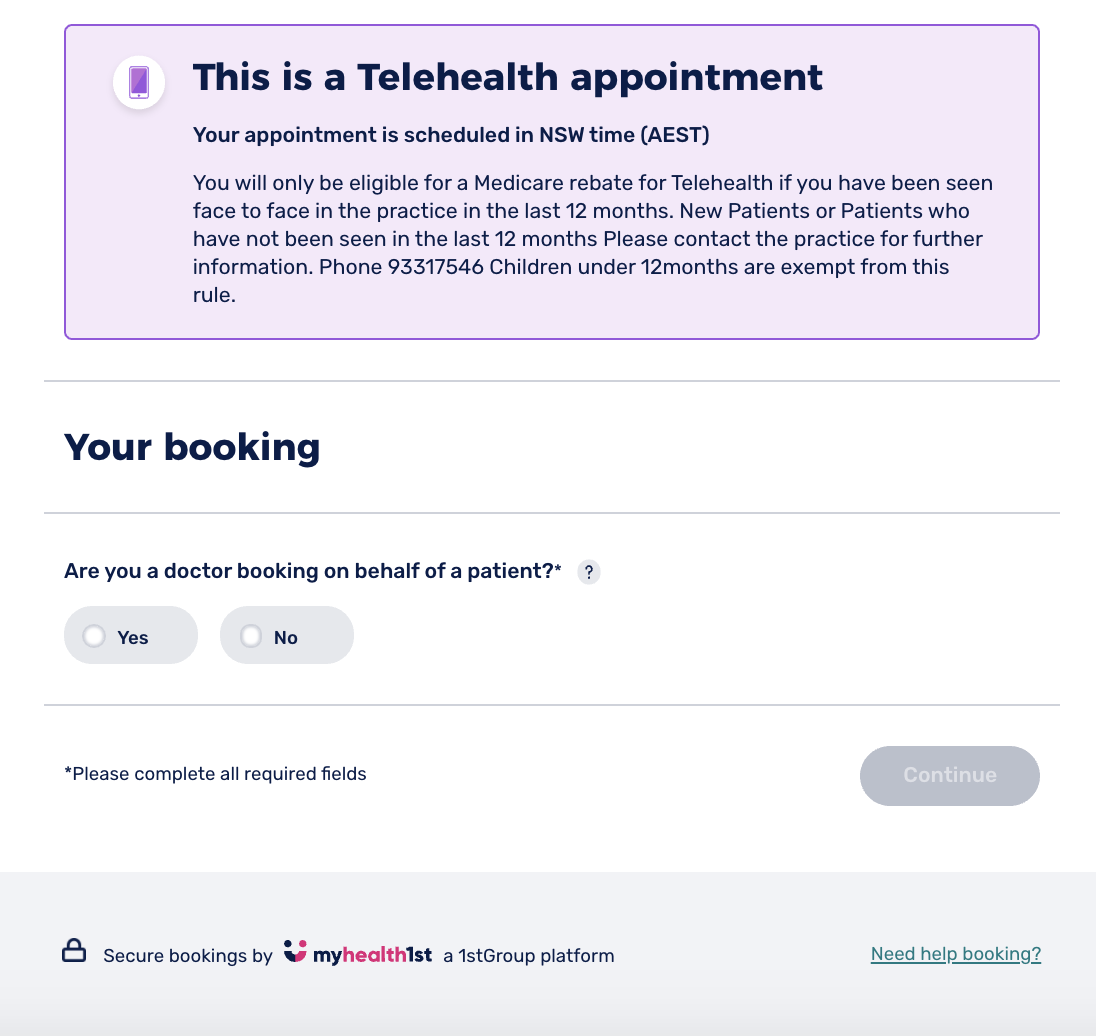
Once the appointment time has been chosen, a screen will open first informing you of the fact that this is a telehealth appointment.
Scrolling down, the person making the booking must indicate whether they are scheduling the appointment for themselves or a patient, and enter their details, including name, sex and contact. Once this has been completed you can click the Confirm Telehealth Booking button to progress the booking.
If the booking is processed successfully, you will be shown a confirmation screen containing the details of the appointment as well as the connection details for the EasyTelehealth consult. A confirmation email containing this information is then sent to both the patient and the specialist practice. The specialist confirmation email also contains extra detail of any technological requirements needed for an EasyTelehealth appointment, a Zoom link or phone number.
Please Note: Practitioners must be signed in to their MyHealth1st admin account to successfully join an EasyTelehealth consult.
Clicking the EasyTelehealth link will bring you into a waiting room until both the patient and practitioner have joined the appointment. Once all parties are present the telehealth session begins.
EasyTelehealth features a number of inbuilt tools that may be useful during a consult - check the Practice Hub on MyHealth1st for more detailed information on setting up and using EasyTelehealth.